Making AI nature videos loop forever
Turning 8-second AI clips into seamless, rock-steady 60 fps loops, measured, not eyeballed.
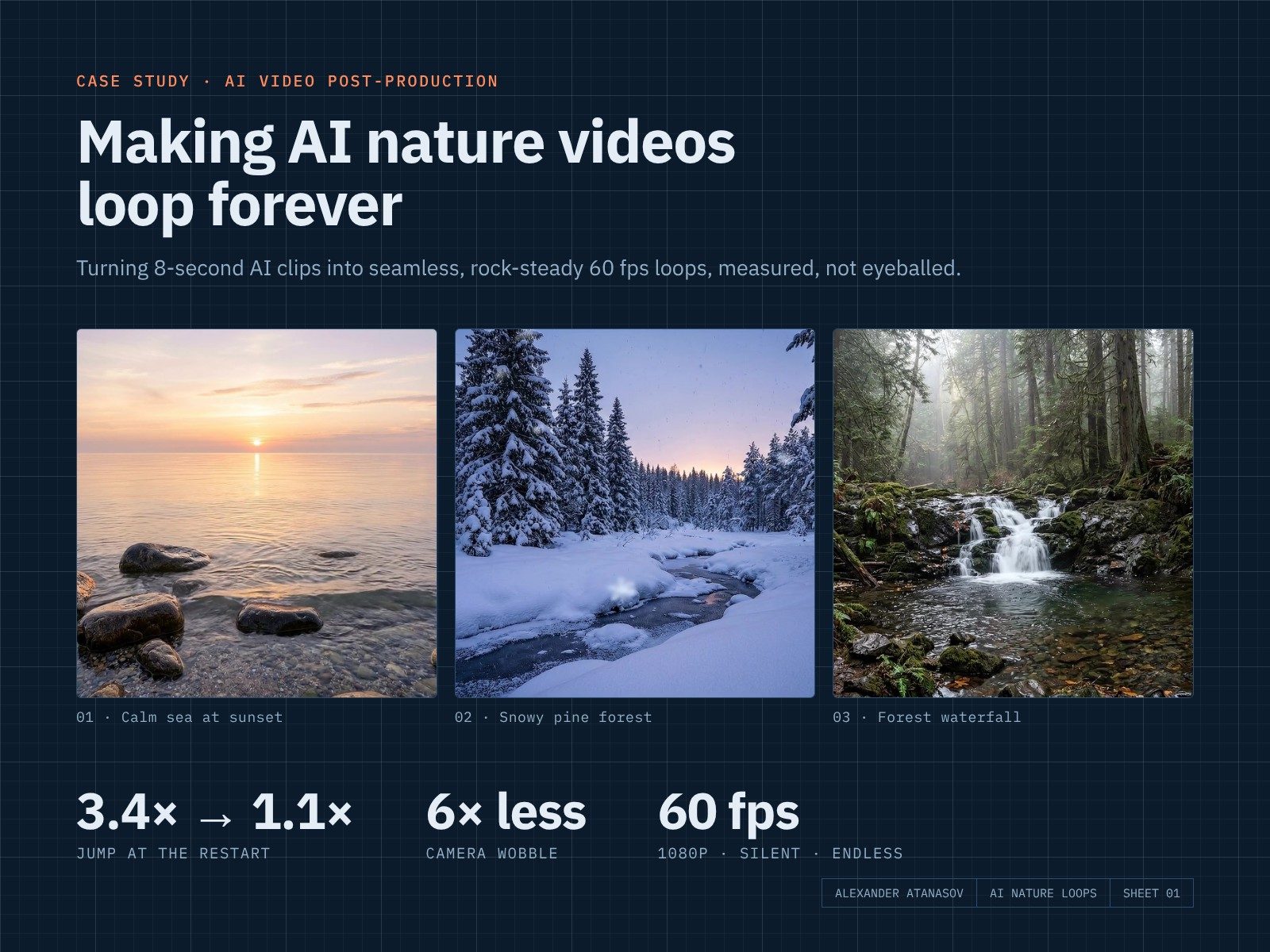
The finished loops, playing on repeat (web previews at 30 fps; the delivered files are 60 fps).
01 · The brief
Endless nature loops for screens
A job post asked for a large set of photorealistic nature videos that loop: no visible restart, a completely still camera, and no sound, for ambient screens that play them for hours. Before applying I made three samples to prove the whole process works.
02 · The problem
AI clips never match end to start
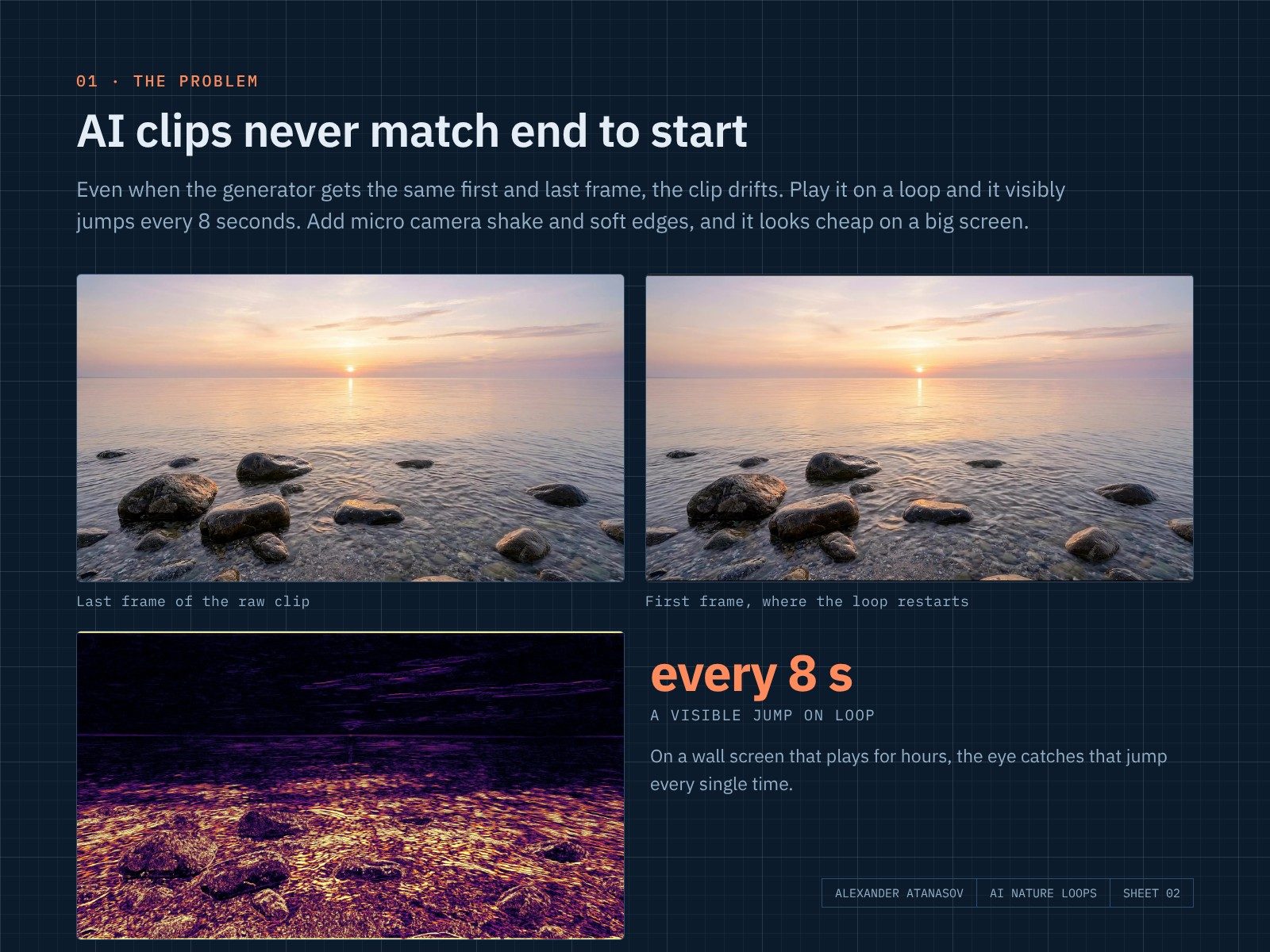
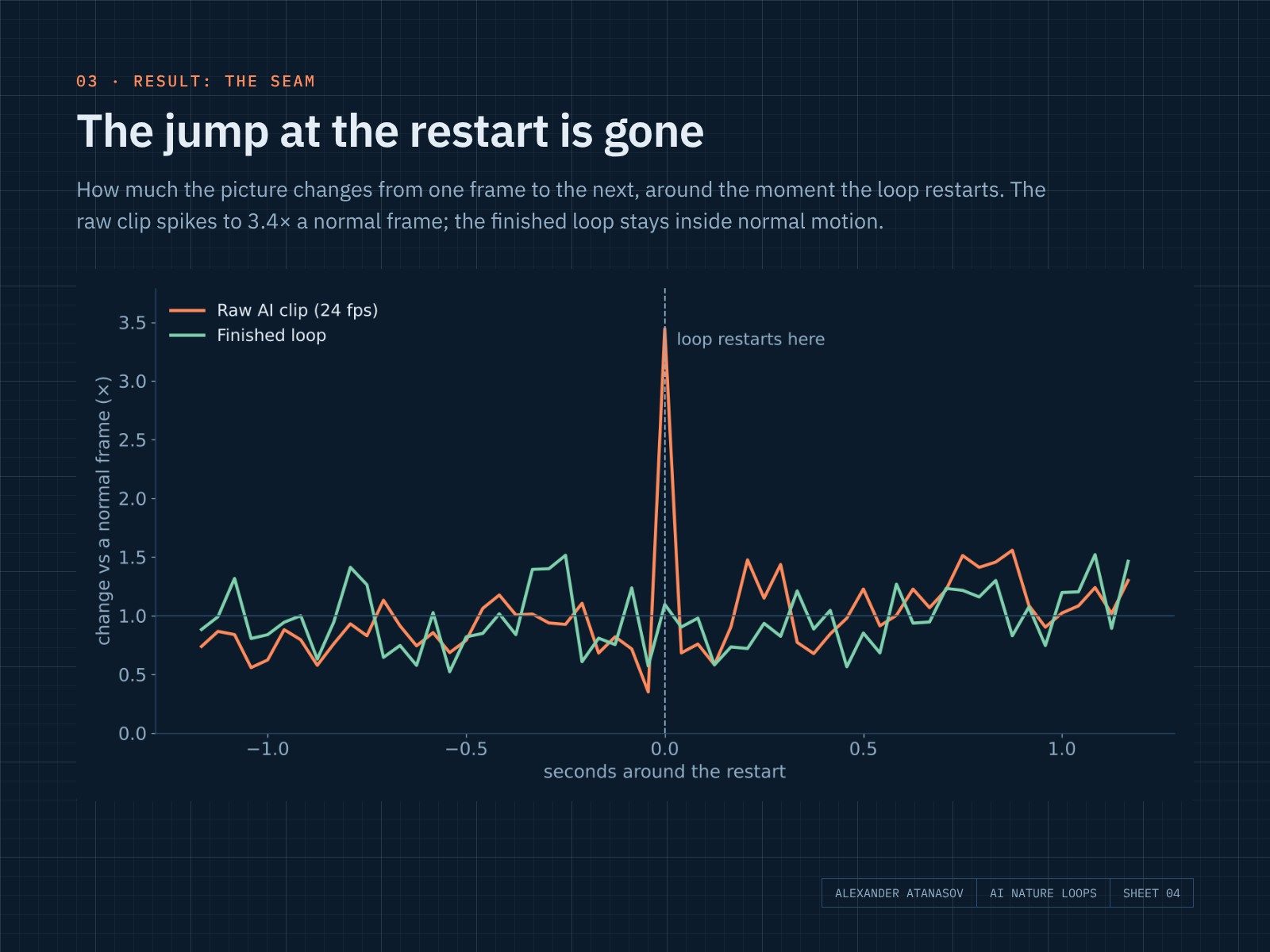
AI video generators produce 8-second clips at 24 fps. Even when you give the same image as the first and last frame, the clip drifts, so on a loop it visibly jumps every 8 seconds. On top of that come small camera wobbles, the odd stuttering frame and soft edges. It is fine on a phone and cheap-looking on a wall.
03 · The process
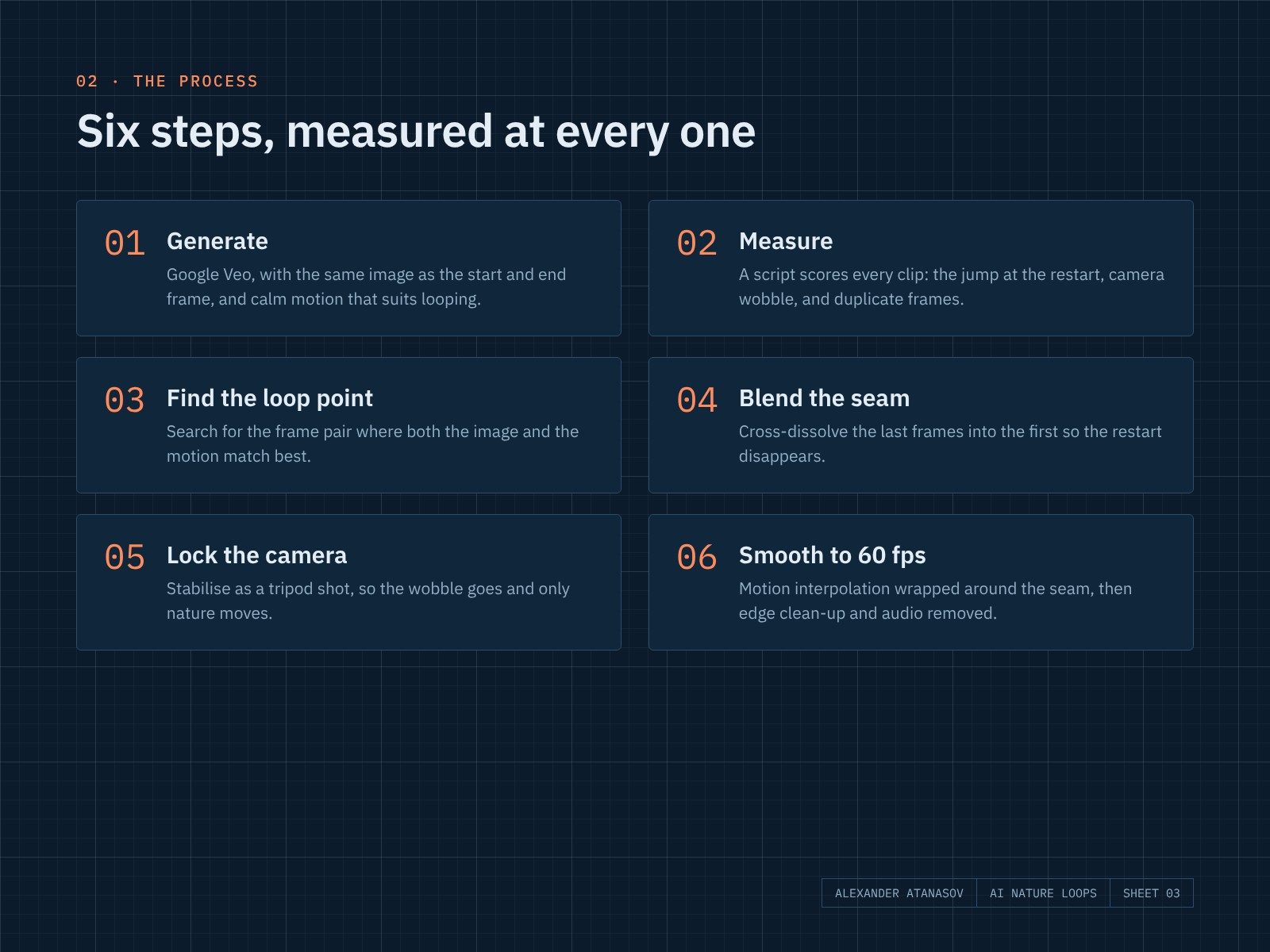
Six steps, measured at every one
Instead of judging by eye, I wrote a small script that scores every clip: how big the jump at the restart is compared with a normal frame step, how much the camera wobbles (phase correlation), and whether any frames are duplicated.
- Generate with Google Veo, using the same image as the start and end frame, and prompts for calm, loop-friendly motion.
- Measure the raw clip.
- Find the loop point where both the picture and the motion match best.
- Blend the seam by cross-dissolving the last frames into the first.
- Lock the camera by stabilising it as a tripod shot.
- Smooth to 60 fps with motion interpolation wrapped around the seam, so the restart is interpolated too. Then crop the edge artifacts and strip the audio.
04 · What went wrong
Not every scene can be blended
My first sea clip had big rolling waves. Blending its seam made the waves visibly morph into each other, which was worse than the jump. I regenerated it as a calm sea at sunset, where the motion is small and even, and the blend became invisible. Lesson: choose scenes that suit looping before you start fixing them.
05 · Results
Measured before and after
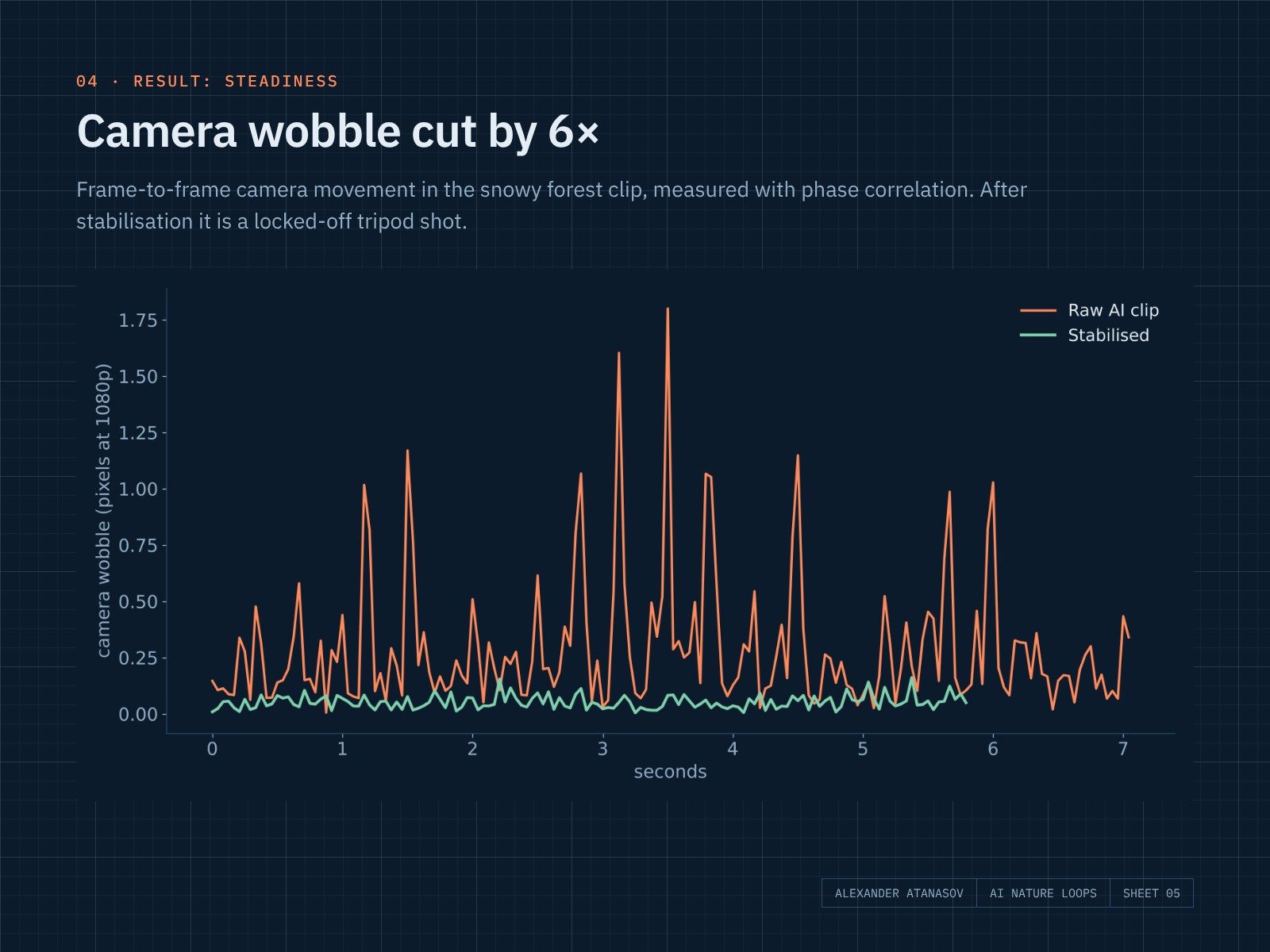
| Clip | Jump · raw | Jump · final | Wobble · raw | Wobble · final |
|---|---|---|---|---|
| Calm sea | 2.6× | 1.4× | 0.16 px | 0.16 px* |
| Snowy forest | 2.7× | 0.8× | 0.29 px | 0.05 px |
| Waterfall | 3.4× | 1.1× | 0.22 px | 0.07 px |
Jump = change at the restart compared with a normal frame step (1× = as smooth as any other frame). Wobble = average frame-to-frame camera jitter at 1080p, both compared at 24 fps. *The sea was already steady and only needed the seam fixed.
06 · Takeaway
Measure, then fix
AI makes the raw footage; the craft is in the finishing. Measuring every clip turned “looks okay to me” into numbers a client can trust, and made it obvious which clips to fix and which to regenerate.